
WordPress announcement bar plugin: Tu WebMaster TopBar Slider
· Sasha
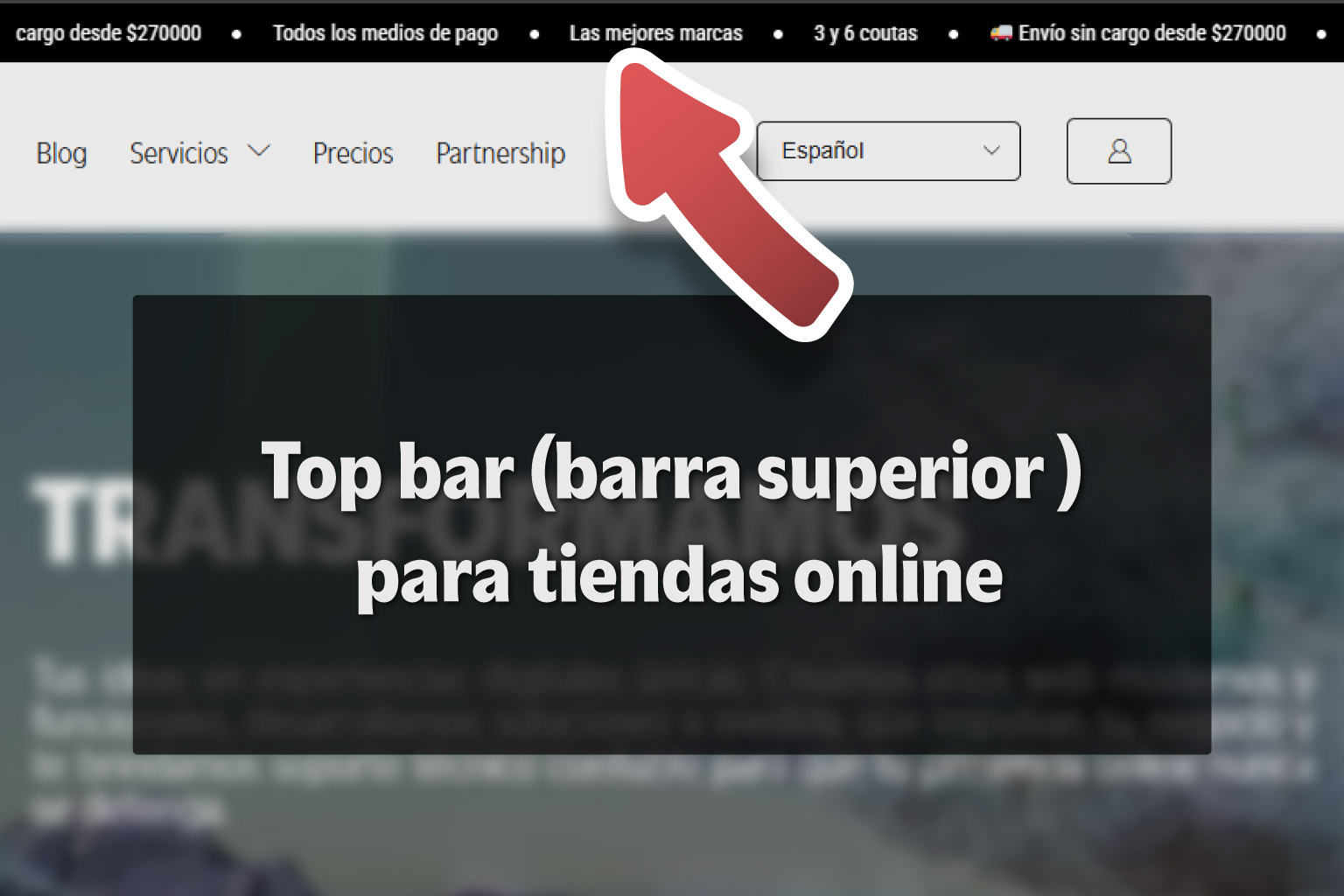
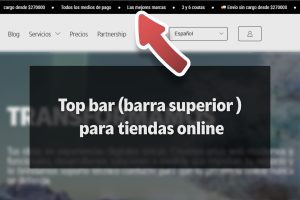
WordPress announcement bar plugin to show promotions, important announcements, discount codes or featured messages at the top of your website, without changing the theme or writing custom CSS.
Download from WordPress.org Explore Tu WebMasterAn announcement bar in WordPress is a simple, effective way to highlight important messages without changing the entire website design.
It can display promotions, shipping announcements, discount codes, news, launches, institutional messages or urgent information for visitors.
Tu WebMaster TopBar Slider lets you add a configurable, lightweight top bar that is easy to manage from the WordPress dashboard.
Available in the official WordPress repository
Tu WebMaster TopBar Slider is available in the official WordPress plugin repository. You can install it directly from your WordPress dashboard or download it from its official page.
What is an announcement bar in WordPress?
An announcement bar is a visible strip at the top of a website displaying one or more short messages. It usually communicates information visitors should see before browsing the rest of the page.
For online stores, service websites and business websites, this type of bar can improve communication without interrupting browsing as a popup would.
- Show free shipping or active promotions.
- Share discount codes.
- Announce special opening hours.
- Highlight new services or products.
- Publish important messages for customers or visitors.
What problem does Tu WebMaster TopBar Slider solve?
Many WordPress websites need to display important messages, but installing a heavy builder, editing theme files or relying on manual code isn't always the best option.
Tu WebMaster TopBar Slider lets you create a top bar from the WordPress dashboard. You configure it under Settings > TopBar Slider, where you enter messages, choose the animation, define visibility rules and adjust the appearance.
The goal is to solve a specific need: displaying visible, customizable announcements that are easy to maintain.
Key plugin features
Rotating messages
Displays one message at a time and changes it automatically at the configured interval.
Continuous marquee
Ideal for displaying several moving announcements, such as promotions, discounts or news.
Page-specific rules
Display the bar throughout the website, only on selected pages, or exclude it from specific sections.
Visual settings
Includes options for background color, text color, font size, minimum height and horizontal spacing.
Compatible with WooCommerce
Use it on the store, cart, checkout and account pages to highlight important sales messages.
Compatible with sticky headers
Designed to work alongside fixed or sticky headers and reduce overlapping issues.
Rotating messages or a continuous marquee
You can enter multiple announcements, one per line. They can appear as rotating slides or as a continuous marquee.
Slide mode works well for individual messages, such as an institutional announcement or a featured promotion. Marquee mode is useful for displaying several short messages in one continuous strip.
For example, an online store can display free shipping, an active coupon and opening hours in the same bar.
Rules to display the bar on specific pages
Displaying the same bar throughout the website isn't always appropriate. You might want a promotion to appear only in the store, hide it at checkout, or use it on just one landing page.
Tu WebMaster TopBar Slider lets you control where the bar appears:
- Throughout the website.
- Only on selected pages.
- Throughout the website except specific pages.
You can configure rules using IDs, slugs, internal paths or common WooCommerce views such as shop, cart, checkout and my-account.
Why it is useful for WooCommerce
In WooCommerce, a top bar can highlight sales benefits without changing the product page or cluttering the store design.
- Display active promotions.
- Announce free shipping.
- Communicate limited-time discounts.
- Display coupon codes.
- Highlight payment methods or installments.
- Exclude the bar from checkout to reduce distractions.
Visual settings without custom CSS
The plugin lets you adapt the bar to the website's identity using controlled options. This avoids relying on an open CSS field and helps keep the configuration safer and more stable.
- Background color.
- Text color.
- Font size.
- Minimum height.
- Horizontal spacing.
For most websites, these controls are enough to create a clear, visible bar that fits the brand.
Compatibility with fixed or sticky headers
One common problem when adding a WordPress top bar is overlap with the header. If the website has a fixed menu, sticky header or Elementor header, the bar may cover content or appear in the wrong position.
Tu WebMaster TopBar Slider is designed to work alongside fixed or sticky headers and reduce these conflicts.
This avoids writing specific CSS for each theme or builder.
How to install Tu WebMaster TopBar Slider
Open your WordPress dashboard. Go to Plugins > Add New. Search for Tu WebMaster TopBar Slider. Install and activate the plugin. Open Settings > TopBar Slider. Enter your messages, choose the animation mode and save your changes.You can also download it directly from the official WordPress repository: Tu WebMaster TopBar Slider on WordPress.org .
When to use an announcement bar
Online stores
To share promotions, free shipping, discounts, coupons or sales benefits.
Service websites
To highlight online bookings, new services, special hours or calls to action.
Business websites
To publish announcements, service changes, notices or important information.
Landing pages
To reinforce a sales proposition without adding sections or interrupting browsing.
Using a plugin versus building a bar manually
Creating a top bar manually may seem simple, but it usually involves editing theme files, adding CSS, managing z-index, checking mobile compatibility and adjusting behavior with fixed headers.
With a plugin like Tu WebMaster TopBar Slider, management stays within WordPress. The website owner, sales team or marketing manager can update messages without always relying on a developer.
Visibility rules, animation modes and visual controls in the dashboard also reduce the need for improvised solutions.
Frequently asked questions about WordPress announcement bars
What is the best plugin for a WordPress announcement bar?
It depends on your website and your needs. If you want a lightweight solution with slides, marquee mode, page rules and sticky-header compatibility, Tu WebMaster TopBar Slider focuses on that need.
Can I show an announcement bar only on certain pages?
Yes. You can show the bar throughout the website, only on selected pages, or everywhere except specific pages.
Does it support WooCommerce?
Yes. Use it for promotions, discount codes, shipping announcements, sales benefits or specific messages in the store, cart, checkout or account area.
Do I need CSS knowledge to use it?
No. You configure the appearance in the plugin dashboard using controlled options for background and text color, font size, minimum height and horizontal spacing.
Does the bar work with fixed or sticky headers?
Yes. The plugin is designed to work alongside fixed or sticky headers and reduce overlap.
Where can I download the plugin?
Download it from the official WordPress repository at
Tu WebMaster TopBar Slider
.
Conclusion
Tu WebMaster TopBar Slider is a WordPress plugin for a simple but common need: a clear, configurable top announcement bar that works with different kinds of websites.
It can help WooCommerce stores, service websites, business websites and landing pages highlight important messages without changing the theme or adding manual code.
If you need a WordPress announcement bar with slides, a continuous marquee, page rules and dashboard settings, this plugin offers a direct, lightweight solution that is easy to manage.
Download Tu WebMaster TopBar Slider
Install it from the official WordPress repository and start displaying announcements, promotions and important messages at the top of your website.
View plugin on WordPress.orgI'm Sasha Herscovich, and I design, develop and provide technical support for online stores built with WordPress and Odoo. I solve real problems every day and occasionally share what I encounter in case it helps someone else.
This blog contains ideas, solutions and code snippets I use in real projects. Some are for people who manage their own websites; others are for developers and designers looking to improve their work, save time or understand how to solve a particular issue.
I don't sell magic formulas or universal solutions. I share what works for me, what I test and what I learn along the way. If it helps you, welcome. And if you'd like to comment, improve or adapt something, I'd love you to.