
How I removed over 200,000 bot users from WordPress
· Sasha

A few days ago I faced a specific problem on a WordPress website I manage: a bloated database with over 200,000 registered users who were actually bots. I had seen automatic registrations before, but this volume was affecting performance, user metrics and overall security.
I'm not a fan of posts claiming a tool will change your life, but I developed a snippet that solved this problem directly. I'm sharing it in case someone wants to use it as it is or adapt it to their own criteria.
The case: automated registrations with suspicious patterns
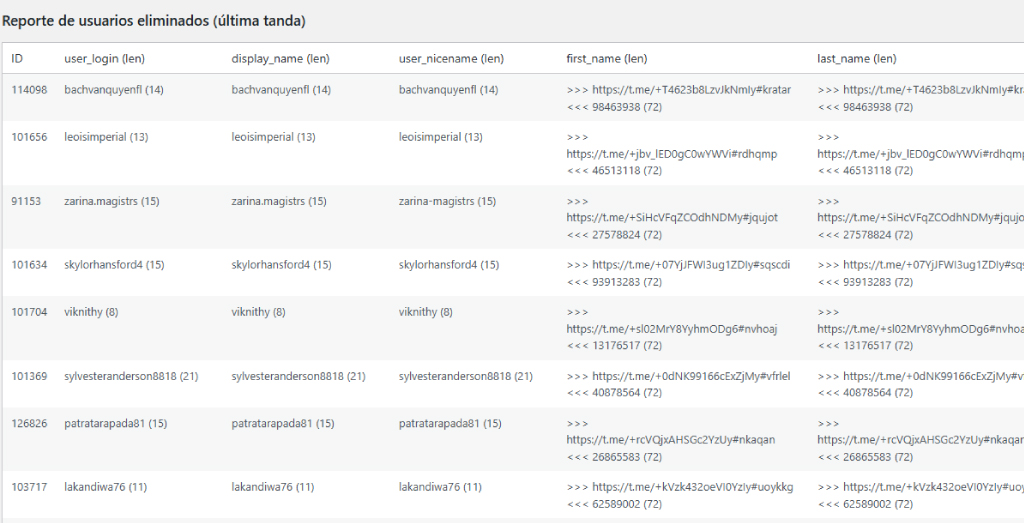
Most bot users shared a pattern: advertising in registration fields, meaningless names or unusual email domains. I created a script that checks field lengths and lets you define criteria to identify automated registrations.
It was effective: over 200,000 users removed in batches without affecting real users, directly from the WordPress backend, without external plugins or manual database changes.
Auto Bot Cleaner: the snippet I used
I called it Auto Bot Cleaner. It is not an official plugin or universal solution, but it worked well for this case. I documented it so that anyone, including nontechnical users, can copy it into WordPress with the plugin or turn it into their own plugin.
From the dashboard (Users > Auto Bot Cleaner), you can:
✔Set the minimum character count for bot detection.
✔Choose the roles to check (for example
✔Process users in batches.
✔Run a preliminary scan to count matching users.
✔Enable automatic deletion with real-time progress.
How to integrate it
There are two simple ways to use it:
With Code Snippets: copy the code, paste it as a new snippet and activate it.
As a ZIP plugin: download the PHP file, package it as a ZIP and upload it through the WordPress dashboard.
Either way, the snippet adds an option to the Users menu, where you can run the cleanup process.
What if your criteria are different?
The code is available on GitHub. Developers can edit it to suit their needs. If you're not technical but want different criteria, leave a comment or contact me. I'm open to collaborating and improving the snippet when useful ideas come up.
Why share this?
It isn't a magic solution or a product I'm selling. It was part of my daily work as a web developer and seemed useful to share. If you're dealing with fake WordPress registrations, it may be a starting point.
Keeping a clean user database can also help you:
✔Improve WordPress website security.
✔Improve user metrics and reporting.
✔Avoid spam and unwanted content.
Download and documentation
🔗 If it helps you, great. If you adapt it, even better. Questions, suggestions and experiences are welcome in the comments. I hope this helps others as well as me. Author's note.I'm Sasha Herscovich, and I design, develop and provide technical support for online stores built with WordPress and Odoo. I solve real problems every day and occasionally share what I encounter in case it helps someone else.
This blog contains ideas, solutions and code snippets I use in real projects. Some are for people who manage their own websites; others are for developers and designers looking to improve their work, save time or understand how to solve a particular issue.
I don't sell magic formulas or universal solutions. I share what works for me, what I test and what I learn along the way. If it helps you, welcome. And if you'd like to comment, improve or adapt something, I'd love you to.