
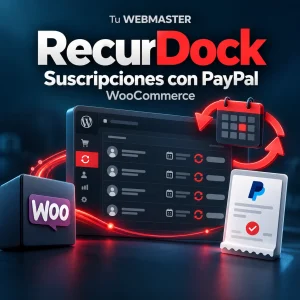
Recurring PayPal billing with WooCommerce: RecurDock
·
Recurring PayPal billing from WooCommerce requires a connection between store products, subscription plans and verified payment updates. RecurDock brings that workflow into WordPress: save the order first, redirect the customer to PayPal approval, then record confirmed payments and subscription changes.
It is designed for monthly services, maintenance and support. See the RecurDock product page for requirements and pricing.
Approval is only part of the billing lifecycle
A monthly service requires tracking several things: approval of the agreement, receipt of the payment, the paid period and later failures. An active subscription alone does not provide the complete payment picture.
Customers can also leave the store without finishing PayPal approval. Saving the WooCommerce order first retains a reference for follow-up and protected recovery.
How RecurDock works with WooCommerce
RecurDock links simple virtual products to existing monthly USD PayPal plans. The customer completes classic checkout, WooCommerce stores the order, and PayPal asks for approval. RecurDock verifies payments rather than treating approval as proof of payment.
The parent order retains a payment and period ledger. Administrators can review awaiting approval, active, paused, cancelled and expired states alongside a separate payment status. A verified failed installment remains visible even if PayPal still reports an active agreement.
PayPal describes products and billing plans in its official subscriptions documentation. PayPal’s overall platform offers more features than this version of RecurDock supports.
Setup in clear steps
- Prepare your PayPal Business account, REST application, Merchant ID and compatible monthly plan.
- Install the ZIP and activate your license under WooCommerce → RecurDock.
- Configure the appropriate Sandbox or Live credentials and registered webhook.
- Link the simple virtual WooCommerce product to its plan ID and final USD amount.
- Test approval, payment, renewal, failure, cancellation and signed webhooks in Sandbox before enabling Live.
The manual connection check queries authentication, webhook registration and plans without creating charges or saving diagnostic fields. It helps setup but does not replace end-to-end Sandbox testing. See PayPal’s integration guide for the provider components.
Review payments without scattered records
Once configured, use WooCommerce to inspect orders, verified transactions and paid periods. RecurDock deduplicates repeated events and transaction confirmations. Optional included hours can be attached to paid periods; there is no task-entry or time-tracking interface.
Verified webhooks provide updates, while scheduled reconciliation queries provider state. Reliable cron execution is required, and network or provider delays remain possible.
Check the supported workflow
This version supports monthly prepaid USD plans with unlimited cycles, simple virtual products and classic checkout. It does not support Checkout Blocks, trials, signup fees, mixed carts, coupons, shipping, variable subscriptions, other recurring currencies or billing intervals. The configured amount is the final charge; this gateway does not add taxes or fees.
RecurDock does not create PayPal plans, provide content restrictions or replace every WooCommerce Subscriptions feature. Review the requirements and product FAQs.
A one-time plugin purchase for managing monthly customer payments
RecurDock costs USD 60 in English or outside Argentina, or ARS 80,000 in Spanish from Argentina. It is a one-time purchase for one website with one month of plugin support. The recurring payments are subscriptions you sell to your customers; PayPal’s own fees are separate.
Licensing enables new subscriptions. Existing PayPal agreements, signed webhooks, payment reconciliation and financial history remain independent of the new-sales license check.
Frequently asked questions
Does checkout add a second one-time charge?
No. RecurDock saves the order and requests subscription approval. PayPal bills the plan; this checkout does not add a separate one-time payment.
Does an active subscription prove the installment was paid?
No. Subscription lifecycle and payment status must be checked separately. RecurDock verifies payments and displays uncredited installments.
Does cancelling a WooCommerce order cancel PayPal billing?
No. Manage billing agreements in PayPal. Changing an order status or deactivating the plugin does not cancel those agreements.
Does each renewal create a new order?
No. This version retains a parent order and verified payment/period ledger rather than creating a separate renewal order.
Can it collect monthly payments in Argentine pesos?
Not in this version. It supports monthly USD plans. Purchasing the plugin in ARS does not change its recurring-billing currency.
Choose the tool for the workflow
Explore RecurDock for WooCommerce, our guide to approved Mercado Pago payments with pending orders, ARCA invoicing from WooCommerce, or monthly website support and development.
Follow up on incomplete purchases
Explore Cart Recovery for WooCommerce and its guide to recovery emails, funnel and analytics. This separate plugin distinguishes recovered and assisted orders.