
Recover abandoned WooCommerce carts: emails, funnel and analytics
· Sasha
An abandoned cart records purchase intent, but does not explain why checkout stopped. The shopper may need more time, an answer about delivery or confirmation of a payment. Useful follow-up requires an identified cart, a valid email address and a way to review what happened after the reminder.
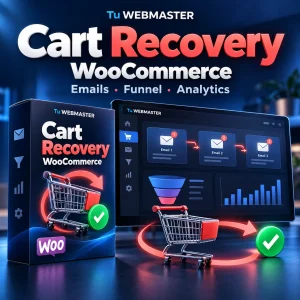
Cart Recovery by Tu WEBMASTER brings that workflow into WooCommerce: cart capture, up to three scheduled emails, recovery links, optional coupons and a funnel separating recovered and assisted orders. This guide explains how to set it up and interpret its reports.
What you need to recover an abandoned WooCommerce cart
The plugin records non-empty carts and associates an email when the shopper can be identified. Guest email capture is implemented for classic WooCommerce checkout. Checkout Blocks email capture is not claimed: check your store’s checkout before purchasing.
The plugin keeps actionable records: it does not save a cart for follow-up without a valid email address. An address must be available at the relevant stage. Email-quality controls, address and domain exclusions, and identity-merging tools help maintain the records.
Messages use wp_mail and your WordPress mail transport or SMTP provider. The plugin does not include an SMTP account or guarantee inbox delivery. Test reception, sender identity, replies and the recovery link with your own address before enabling real follow-ups.
Build a sequence of up to three recovery emails
Each stage has its own subject, title, message and delay. You can disable stages two and three. Start with a simple sequence and review results before adding more contacts.
- First reminder: offer to resume the cart and answer questions. Use a clear action and a recognizable sender.
- Second message: where appropriate, explain payment methods, delivery or product details. Do not assume the shopper experienced a particular problem without evidence.
- Third follow-up: make this contact useful. If you offer a discount, check its validity, scope and margin before enabling it.
Jobs run through Action Scheduler with a WP-Cron fallback. Configured delays do not guarantee an exact delivery time: scheduled tasks must actually run on the site. Check the scheduler together with your hosting setup.
Optional coupons and high-value carts
You can configure per-cart incentives and a separate discount for carts above your chosen value threshold. A coupon is optional; it does not need to appear in every reminder. Assess whether the discount improves recovery without consuming the margin or encouraging shoppers to wait for promotions.
The unique recovery link attempts to restore available products. It does not reserve inventory or guarantee that deleted or unavailable items can still be purchased.
Recovery funnel: what the metrics tell you
The dashboard brings together carts, sent stages, link interactions and order results. It includes recovery rate, CTR, recovery on click and recovered revenue. Compare similar periods and inspect the carts included in each filter before drawing conclusions.
- Sent emails: record a processed send, rather than proof of reading or inbox placement.
- Clicks and recovery attempts: show activity on the links. Controls reduce repeat interactions and some automated requests without guaranteeing removal of all bots.
- Recovered orders: follow the plugin’s recovery attribution rules.
- Assisted sales: are separated from recovered orders and ordinary conversions. A later purchase alone does not prove the reminder caused it.
Email opens are not tracked. Evaluate sends, interactions and orders together, and compare revenue with order status. Reports support operational decisions; they do not promise future revenue.
Filters, manual follow-up and CSV export
Filter by status, stage, interaction, payment method, source, value and date. Sort and paginate the list to inspect a specific group. CSV export lets you work with records outside WordPress, while individual and bulk actions support day-to-day operations. Manual recovery emails also require an active license.
Before resending, check whether the shopper has completed a purchase and whether the address should be excluded. Useful follow-up needs customer context as well as automation.
Retention and personal data
Set retention by status, choosing payload purging or record deletion according to your policy. The plugin integrates with WordPress personal-data export and erasure and supports HPOS. Your store privacy policy should explain the follow-up you operate and the mail providers you use.
License checks send Tu WEBMASTER the key, site URL and random installation credentials. They do not send carts, shopper emails or revenue. Deactivation stops scheduled jobs and retains store data.
Cart recovery and payment reconciliation solve different problems
If the shopper already paid but WooCommerce still shows a pending order, verify the payment before sending another reminder. The Mercado Pago Payment Reconciler handles that workflow. Read what to check when an approved payment leaves an order pending or cancelled.
For other store operations, explore ARCA invoicing for WooCommerce and RecurDock for PayPal subscriptions. These are separate products and are not included with Cart Recovery.
Price, license and download
Cart Recovery is a USD 60 one-time purchase through PayPal outside Argentina. Argentina’s local checkout offers ARS 80,000 by bank transfer, according to the store checkout currency. A license covers one website and includes free plugin support for the first 30 days after payment. This is not a subscription.
After payment confirmation, the order and My Account provide the license and available download. Pending bank transfers require confirmation first. Support coverage is separate from use of the purchased version: the end of support does not expire that license.
View Cart Recovery features and requirements
Frequently asked questions about cart recovery
Can I email a cart without an email address?
No. A reminder needs a valid associated address. The plugin avoids saving follow-up records without an email.
Should I always send three emails?
Not necessarily. You can use one stage or disable later stages. Choose the frequency and content based on your products and observed results.
How do I distinguish recovered and assisted sales?
The reports separate these categories according to their attribution rules. Inspect the cart interaction and order; do not attribute every later purchase to the email.
What should I test before following up with customers?
Classic checkout email capture, reception through your SMTP, scheduled delays, recovery links, coupons, attribution of your own test purchase and retention rules.