
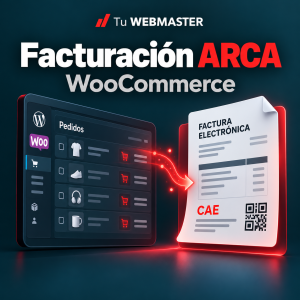
How to invoice with ARCA from WooCommerce and WordPress
·
To issue ARCA invoices from WooCommerce, you need a web-service integration, an eligible issuer, digital certificates and a correctly configured point of sale. A WooCommerce order records the sale. Tax invoice authorization is a separate process, and a payment confirmation does not replace it.
This guide explains the workflow and introduces Tu WEBMASTER ARCA invoicing for WooCommerce, an integration for registered VAT taxpayers issuing A/B invoices for goods in ARS.
Why manual invoicing becomes difficult
Copying customer details, checking amounts, opening another system and returning to the order to save the invoice takes time. As sales increase, it becomes harder to identify which paid orders have been invoiced and which need attention.
An integration brings those tasks closer to the store dashboard. It should also retain authorization results, explain rejections and distinguish an uncertain response from a confirmed failure.
How WooCommerce connects to ARCA
In this workflow, WSAA authenticates the issuer and provides temporary credentials for WSFEv1. The invoicing service is used to check numbering and request the CAE authorization code. ARCA decides whether to authorize the invoice.
See ARCA’s official WSAA documentation and electronic invoicing service documentation for certificate access and payload requirements.
What to prepare
- Ask your accountant to confirm your issuer condition and permitted invoice types.
- Prepare the certificate and private key for the correct issuer and environment. Keep the key outside the public website directory.
- Authorize access to WSFE. Possessing a certificate file alone does not confirm service permissions.
- Use a web-service point of sale dedicated to this store. Another application using the same sequence can cause numbering conflicts.
- Collect recipient identity, VAT condition, name and address.
- Review WooCommerce tax rates, bases and totals before sending them.
Test mode comes before production
The test environment lets you validate communication and example invoices without issuing a real tax invoice. Production uses separate credentials and authorizations for real issuance.
Tu WEBMASTER’s plugin starts in test mode with automatic issuance disabled. First configure a compatible paid test order, test authentication, request a test invoice and review the tax data, numbering and printable view. Only then configure production credentials with your accountant’s guidance.
What this version includes
Request A/B invoices from an order, retain CAE details, query a pending issuance and open a printable view with a locally generated QR code. Optional automatic issuance runs when a paid order changes to Completed.
An authorization snapshot preserves the data used at issuance. Later settings or order edits do not rewrite that record. Administrators can access it from the order; customers with an account can view their own invoices.
Scope: registered VAT issuers, goods, paid ARS orders and explicit supported VAT rates. This version does not include C invoices, credit notes, services, exports, FCE, additional taxes, exemptions, bulk invoicing or PDF emails. Read the product requirements and FAQs before choosing it.
Rejections and uncertain responses require different treatment
A confirmed rejection should be reviewed against the reason reported by ARCA. Correcting an order does not correct an invoice that has already been authorized.
A connection interruption may occur after ARCA processed the request. The connector therefore retains the attempted number and queries its status before allowing further issuance in that sequence. If it cannot confirm the outcome, it requires review. Do not delete the pending record and issue again blindly.
The invoice QR identifies the operation and its authorization. ARCA publishes the QR specification. Keep backups of your invoices and store history; this plugin is not an external fiscal archive.
An approved payment is different from an issued invoice
If Mercado Pago approved the payment but WooCommerce left the order pending or cancelled, reconcile that mismatch first. Invoicing does not fix payment-status synchronization.
Read why approved payments can leave WooCommerce orders pending and see the Mercado Pago Payment Reconciler.
Frequently asked questions
Is a WooCommerce order a tax invoice?
An order or purchase email is not by itself an authorized tax invoice. This workflow requires the appropriate integration and ARCA authorization.
Does this plugin issue C invoices?
No. The current version supports eligible registered VAT issuers issuing A/B invoices for goods in ARS.
Does installation automatically start invoicing?
No. It starts in test mode with automation disabled. Configure the license, issuer, certificates and point of sale, then validate the workflow before using production.
What should my accountant check?
Your issuer condition, permitted documents, point of sale, fiscal details, tax rates and whether your transactions fit the integration’s scope.
Can I invoice older orders?
The manual action can process a compatible paid older order without a recorded invoice, using the current issuance date. First verify that it was not already invoiced elsewhere. It does not recreate old invoices or backdate them.
Evaluate the integration for your store
Explore ARCA invoicing for WooCommerce, our monthly support and development service or contact Tu WEBMASTER about implementation.
Independent integration without official ARCA affiliation or certification. Reviewed October 20, 2026. Fiscal rules and services can change; refer to official documentation and your accountant.
Monthly PayPal services
Read how PayPal subscriptions work with WooCommerce and explore RecurDock for a separate recurring-billing workflow.
Follow up on incomplete purchases
Explore Cart Recovery for WooCommerce and its guide to recovery emails, funnel and analytics. This separate plugin distinguishes recovered and assisted orders.
Tools for day-to-day operations
- Fiscal checkout fields: optionally add recipient VAT condition, document type and validated DNI/CUIT to classic ARS checkout. Existing field mapping and order administration entry remain available.
- Your invoice identity: choose modern or classic layout, local logo and one or three copies. Preview uses sample data without requesting a CAE.
- Email links: optionally send a private link after production authorization. It expires in 30 days, supports guest access, and can be resent or revoked from the order. Uses the store mail transport without PDF attachments.
- Accounting exports: download invoices and VAT groups as TXT, CSV or Excel XLSX. Uses authorized fiscal dates and amounts, with a row per VAT group. Sales TXT follows the 266/62-character Libro IVA Digital layouts; review with your accountant before importing.
- Certificate assistant: generate KEY and CSR files privately outside the webroot and download through protected administrator access. ARCA issues the CRT and WSFE authorization is a separate step.
- Invoice history: classic and HPOS lists display invoice links. Previous invoice references prevent reissuance and allow consultation of a local PDF or available original reference without rebuilding fiscal totals from today’s order.
New checkout fields and automatic invoice emails require explicit activation. Excel requires PHP ZIP; TXT and CSV remain available without it. Historical documents from other systems are consulted separately and are not automatically converted into accounting exports.
Version 1.1.0 retains the A/B issuance controls. The updated product page lists requirements and license conditions.